Teaching with Technology Showcase 2015-2016
Unit outline
-
Teaching With Technology 2015/2016
-
The Link is a special community building and onboarding module that occurs at the start of each program in the School of Education and Technology (SET). Jo Axe and Elizabeth Childs incorporated tools to enhance the ability of learners to work more effectively both on teams and in the wider community. Jo and Elizabeth worked with B.J. and a research assistant to inventory, select, and pilot potential tools within The Link, and collect and analyze learner perceptions of their experiences. The research will enrich the learner experience by using technology to help build an inclusive and supportive team based learning environment.

Jo Axe

Elizabeth Childs

BJ Eib
-
Audrey Dallimore’s project will make it possible to provide experiential outdoor marine-based learning opportunities in an online virtual environment. The project will provide the necessary equipment and technology to enable secure remote access to research activities on the RRU Nearshore Research Boat. Unique hands-on virtual field trips facilitated knowledge sharing across boundaries. Team members include Leslie King, Dan Anthon, and Deanne Turnbull-Loverock.

Audrey Dallimore
Leslie King
Dan Anthon
Deanne Turnbull-Loverock -
Lois Fearon, Ingrid Kajzer-Mitchell, Trish Dyck, Sarah Chettleburgh, and BJ Eib conducted a review of self and peer assessment tools including ITP Metrics, Moodle Workshop and CAT-me. A research assistant helped to conduct a literature review. The team developed recommendations and documented best practices on the use of self and peer assessment technologies to evaluate team-based learning outcomes. These tools will help students and faculty understand the social and knowledge processes that create effective teamwork.

Lois Fearon
Ingrid Kajzer-Mitchell
Trish Dyck
Sarah Chettleburgh
BJ Eib -
Charles Krusekopf, Sophia Palahicky, and Hugh Stephens aimed to create an appropriate technology platform for documentation and sharing of learners’ experiences from an intensive residency abroad. Padlet was used to create an easily accessible site where students posted images, video, audio, text, and other resources related to their experiential learning during their international travel in Asia. The platform allowed students to contribute material that supports team based mutual learning and understanding. It served as both a repository for documentation, and a platform for reflection and analysis of the gathered material.

Charles Krusekopf
Sophia Palahicky
Hugh Stephens -
Collaborating with Dr. Tyler Nagel of SAIT Polytechnic and CTET ID, Ellen Pelto, Chaseten Remillard assessed the feasibility and effectiveness of using Twitter as a collaborative learning tool at two institutions. This project will provide important insights into how Twitter can enrich teamwork, efficiency and effectiveness within face-to-face classes and in online forums.

Chaseten Remillard
Ellen Pelto
Tyler Nagel -
Wendy Rowe worked with Instructional Designer, Keith Webster to explore use of the e-portfolio concept to integrate and enhance students’ learning journey throughout their graduate studies in the MA in Global Leadership program. Wendy completed a literature review on the value of e-portfolios in graduate studies and reviewed different software technologies. She will create a template and instructional guide for the e-portfolio that can be adapted by individual students in the program. Wendy will develop tips for instructors on how to make use of the e-portfolio to enhance team-based learning in the on-line environment as well as in cohort-based residencies.
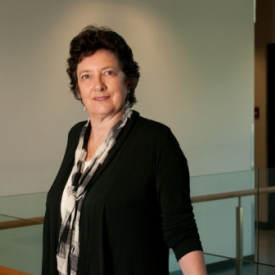
Wendy Rowe
Keith Webster -
Booth 8: Technology Enhancements to Enable Team Based Learning in the MBA Advanced Strategic Integrative Practice Course
Mike Thompson worked with Instructional Designer, David Stevenson to pilot the use of new technology tools for brainstorming, concept mapping, sharing online resources, and video conferencing. They used tools like Padlet, Diigo, and Appear-in to enable increased team based learning in the Capstone course within the Advanced Strategic Integrative practice course in the MBA program. A Research Assistant helped with the writing of a paper, outlining the evolution of the course within the RRU MBA program and selected international MBA programs. The paper highlights best practices and the potential for future technological enhancements.

Mike Thompson
David Stevenson -
Booth 9: The role of technology in facilitating shared understanding/cooperation between team members
Jennifer Walinga worked with Michael Pardy and Instructional Designer, Keith Webster to explore the role of technology in facilitating shared understanding and cooperation between team members. Jennifer considers cooperation to be the most significant phase of team based learning because it signifies a transformative shift by the team from ‘coordination’ to ‘cooperation’. Jennifer’s study involved a literature review, interviews, surveys, and focus groups with BA and MA learners to investigate the role technology plays in facilitating cooperation. The findings of this study will inform the development of authentic team-based learning activities and assignments, effective instructional design, and team-based learning assessment practice.

Jennifer Walinga
Michael Pardy
Keith Webster -
Booth 10: Lessons from the experiences of online teamwork with real clients in Royal Roads University master’s programs
Amy Zidulka, Alice MacGillivray and BJ Eib will team up to mobilize knowledge about problem based learning (PBL) with real-world clients of RRU. The team will experiment with technologies for teamwork in existing courses. The project will test the assumption that RRU’s approach to PBL with real clients provides exceptional learning. It will explore pedagogical underpinnings of online PBL teamwork and the uses of technologies for PBL. The team hopes to build a community of practice for faculty and instructional designers and will provide a platform for raising awareness of RRU’s distinctive niche and approach to learning.

Alice MacGillivray
Amy Zidulka
BJ Eib